

Google Gemini AI का Nano Banana फीचर ने सोशल मीडिया पर तहलका मचा दिया है। ये AI-पावर्ड इमेज एडिटिंग टूल आपको साधारण फोटोज़ को हाइपर-रियलिस्टिक, रेट्रो, या क्रिएटिव 3D मॉडल्स में बदलने की ताकत देता है। Instagram, TikTok और ट्विटर जैसे प्लेटफॉर्म पर यूजर्स अपने Google Gemini AI Photo Editing क्रिएशन्स शेयर कर रहे हैं, और ये ट्रेंड तेजी से वायरल हो रहा है। चाहे आप 90s बॉलीवुड स्टाइल साड़ी लुक चाहें या सेलिब्रिटी के साथ पोलरॉइड स्टाइल फोटो, Nano Banana इसे मिनटों में कर देता है। इस आर्टिकल में हम 15 वायरल Google Gemini AI Photo Editing Prompts शेयर करेंगे जो आपकी इमेज को प्रोफेशनल बनाने में मदत करेंगे।
Contents
Google Gemini AI और Nano Banana क्या है?
Nano Banana Google Gemini का इमेज एडिटिंग फीचर है, जो Gemini 2.5 Flash Image मॉडल पर काम करता है। ये टूल फोटोज़ को 3D फिगरीन्स, रेट्रो पोर्ट्रेट्स, या क्रिएटिव सीन में बदल देता है। इसकी खासियत है इसका यूजर-फ्रेंडली इंटरफेस और तेज़ स्पीड, जो इसे ChatGPT और MidJourney जैसे टूल्स से आगे रखता है। Google AI Studio या Gemini ऐप के जरिए आप इसे फ्री में यूज़ कर सकते हैं। बस एक फोटो अपलोड करें, सही प्रॉम्प्ट डालें, और जादू देखें!
Google Gemini AI Photo Editing कैसे यूज़ करें?
- Gemini ऐप डाउनलोड करें: Google Play Store या App Store से Gemini ऐप इंस्टॉल करें।
- लॉगिन करें: अपने Google अकाउंट से साइन इन करें।
- Nano Banana सिलेक्ट करें: ऐप में “Try Image Editing” ऑप्शन चुनें (Banana आइकन देखें)।
- फोटो अपलोड करें: “+” आइकन पर क्लिक कर हाई-क्वालिटी फोटो अपलोड करें।
- प्रॉम्प्ट डालें: नीचे दिए गए वायरल प्रॉम्प्ट्स में से एक चुनें या कस्टमाइज़ करें।
- जनरेट और शेयर करें: “Generate” बटन दबाएं, रिजल्ट डाउनलोड करें, और Instagram या ट्विटर जैसे प्लेटफॉर्म पर शेयर करें।
15 +Viral Google Gemini AI Photo Editing Prompts
ये 15 Google Gemini AI Photo Editing Prompts आपको वायरल कंटेंट बनाने में मदद करेंगे। हर प्रॉम्प्ट Google Discover के लिए ऑप्टिमाइज़्ड है और Nano Banana की ताकत को हाइलाइट करता है।
- 90s बॉलीवुड साड़ी लुक: “Convert the uploaded photo into a retro, vintage, grainy-but-bright image. The person wears a flowing red chiffon saree, Pinterest-style aesthetic, with dark brown silky hair and a small flower tucked in. Set against an old wooden door with deep shadows for a dramatic cinematic effect.”
- सेलिब्रिटी पोलरॉइड: “Create a 4K HD realistic Polaroid-style photo of the uploaded person with a celebrity. They pose naturally, with slight blur, warm lighting, and a white curtain backdrop for a cozy, candid film photo vibe.”
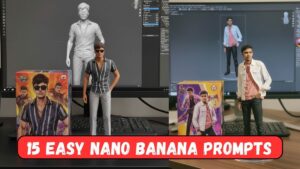
- 3D फिगर टॉय: “Create a 1/7 scale commercialized figurine of the person in the photo, realistic style, on a transparent acrylic base. Place it on a computer desk with a toy packaging box showing original artwork.”
- हग माय यंगर सेल्फ: “Upload two photos: one current, one childhood. Prompt: Create a cute Polaroid picture of my older self hugging my younger self in a cozy playroom with soft lighting.”
- सुपरहीरो अवतार: “Transform the person in the photo into a 3D superhero figurine with a cape, standing on a clear base, with a city skyline background and dramatic lighting.”
- रेट्रो 80s लुक: “Transform the photo into a 1980s character with neon clothes, big hair, and an arcade background. Make it look like a real portrait from that decade.”
- वैन गॉग पेंटिंग: “Place the person in the photo inside Vincent van Gogh’s Starry Night, painted in swirling brushstroke style, blending naturally under the starry sky.”
- प्री-वेडिंग फोटोशूट: “Design a pre-wedding photoshoot for the couple in the photo at a Rajasthani fort. The bride wears a red lehenga, the groom a sherwani, posing on stone steps with marigold petals and warm sunset light.”
- 16-बिट गेम कैरेक्टर: “Recreate the person in the photo as a 16-bit video game character in a 2D platform game level with pixelated design and vibrant colors.”
- हॉलीवुड सीन: “Place the person in the photo on top of the Hollywood Sign, waving at the city below, with realistic lighting, shadows, and perspective.”
- पिक्सर टॉय स्टाइल: “Generate a 3D toy figurine of the person in the photo, Pixar animation style, with a packaging box and display stand.”
- विंटेज डिनर लुक: “Convert the photo into a retro-style image of the person leaning against a 1960s roadside diner jukebox, with bright sepia tones and nostalgic vibes.”
- स्पेस एडवेंचरर: “Turn the person in the photo into a sci-fi astronaut figurine, standing on a transparent base, with a glowing space station background.”
- सिटकॉम सीन: “Create a realistic image of the person in the photo sitting with the Seinfeld cast in Jerry’s apartment, laughing, with 90s sitcom style.”
- फैंटसी क्रिएचर: “Turn the pet in the photo into a mythical creature figurine, like a dragon, on a crystal base with glowing effects.”
Instagram Trending Ai Images Prompt
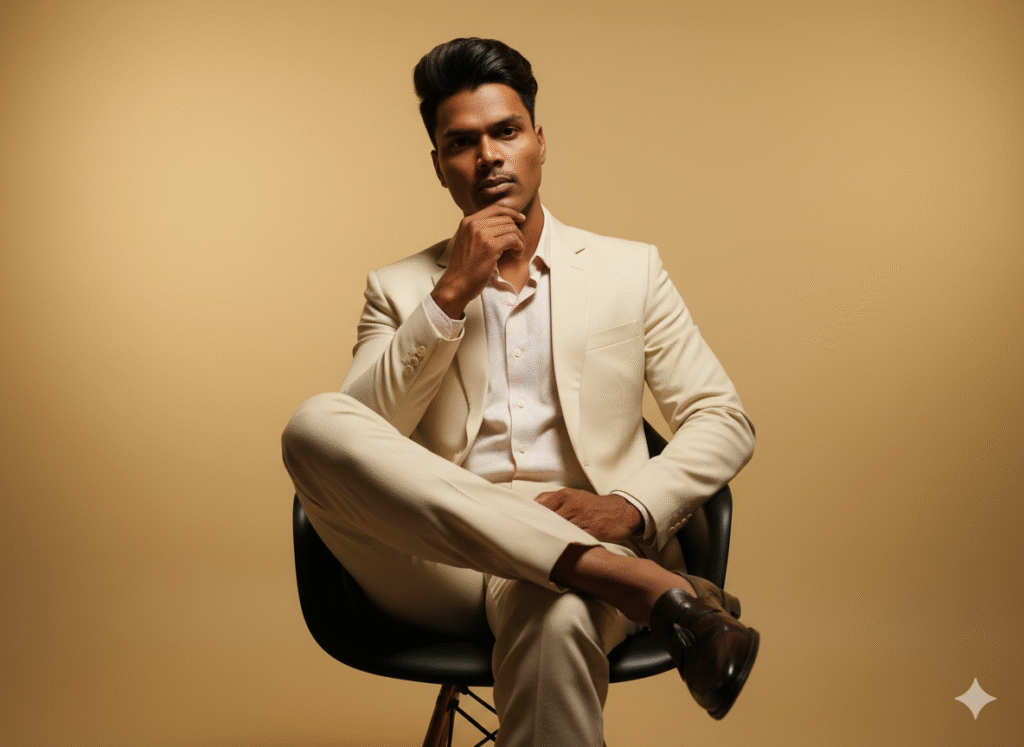
“Ultra-realistic cinematic studio portrait in 9:16
format, captured from a low-angle with an 85mm
lens and shallow depth of field. The background is
perfectly clean and clear with a smooth warm golden
gradient, free of clutter or distractions, creating a
minimal yet luxurious atmosphere. The subject’s
hairstyle is perfectly styled in a modern, voluminous,
neatly set look that frames the face with precision.
Outfit: cream blazer over a pastel shirt, tailored
trousers, and polished loafers. He is seated elegantly
on a sleek modern chair, legs crossed, one hand
lightly touching his chin. Expression blends dreamy
softness with a subtle intense (angry-mode) vibe,
radiating confidence, charisma, and sophistication.
Lighting: dramatic cinematic key light with a soft rim
glow, emphasizing ultra-detailed textures of skin,
hair, fabric, and facial contours – designed for
Instagram-viral impact.”
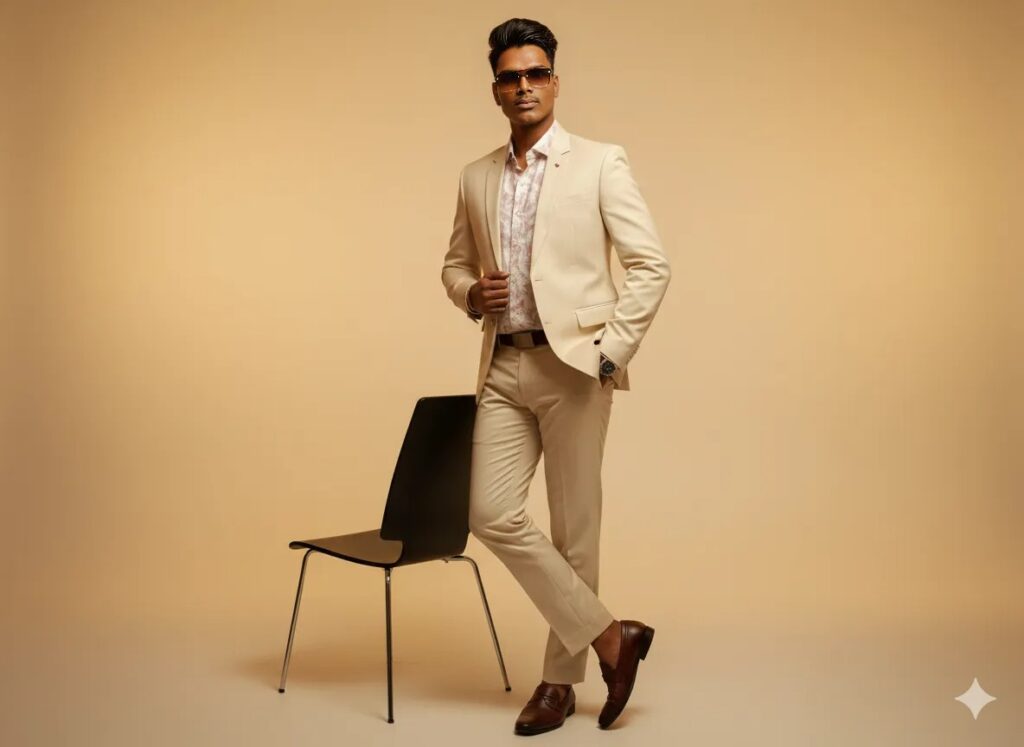
“Ultra-realistic cinematie studio portrait in 9:16
format, shot on an 85mm lens with shallow depth of
field. The background is perfectly clean with a
smooth warm golden gradient, minimal and
distraction-free, creating a luxurious atmosphere.
The subject’s hairstyle is perfectly styled in a
modern, voluminous, neatly set look that frames the
face with precision. Outfit: cream blazer layered
over a pastel shirt, tailored trousers, and polished
loafers. He stands tall beside a sleek modern chair,
one hand tucked into his trouser pocket while the
other adjusts the blazer lapel with effortless style.
Expression is sharp and confident, eyes locked
directly into the camera, radiating dominance,
charisma, and sophistication. Lighting: dramatic
cinematic key light with a soft rim glow,
emphasizing ultra-detailed textures of skin, hair,
fabric, and facial contours
– designed for
Instagram-viral impact.”
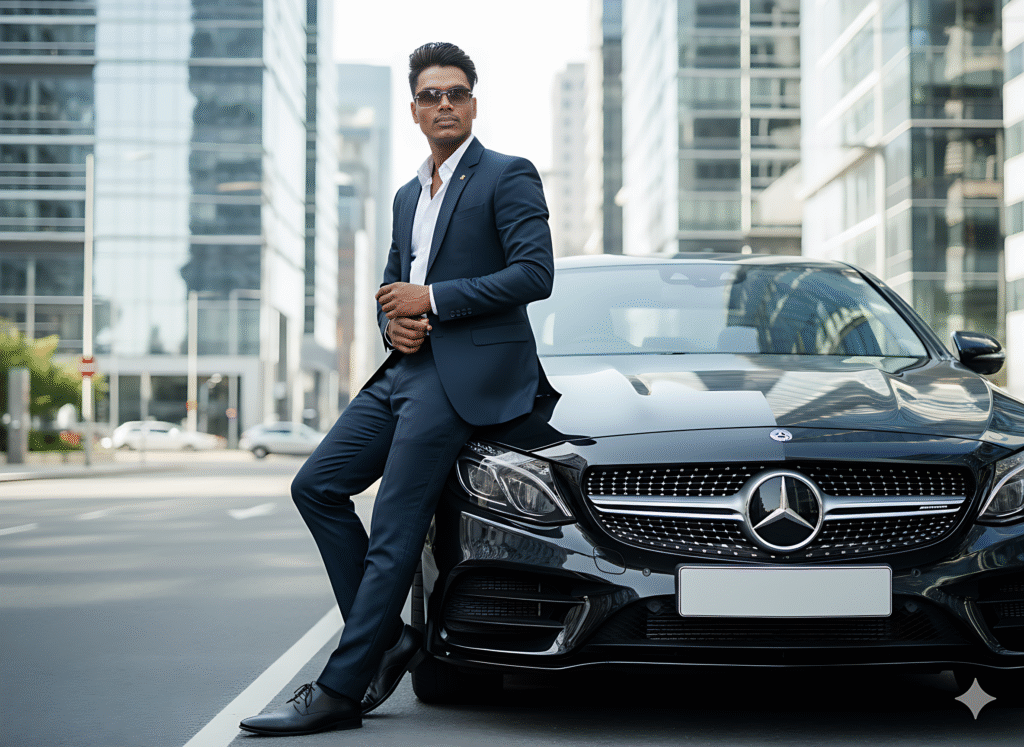
A realistic full-body portrait of the man in the reference photo. Against a black Mercedes-Benz AMG parked on a modern city street surrounded by tall glass skyscrapers. He is wearing a dark navy tailored suit with a crisp white dress shirt, paired with polished black leather oxford shoes.
His look is elegant and refined, exuding a powerful business and luxury vibe. His pose is confident and relaxed, with his shoulder and back slightly leaning on the car, arms resting naturally, as if owning the moment. The atmosphere should feel cinematic and luxurious, ultra-realistic, with natural daylight reflections on the car’s glossy black paint and the glass buildings in the background.
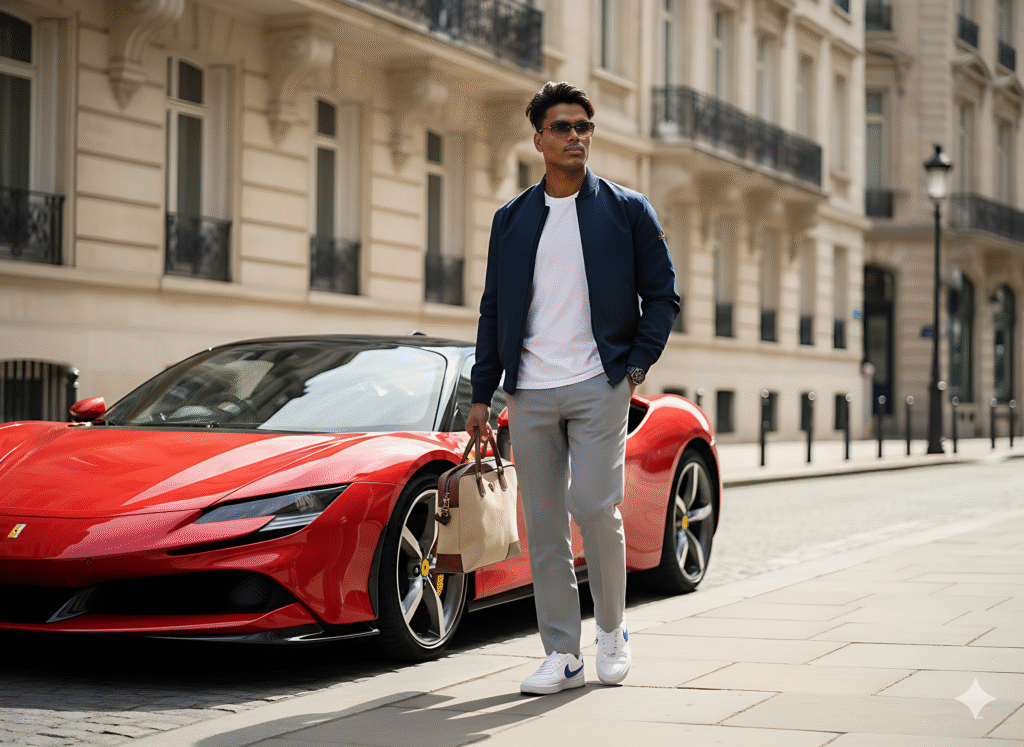
A realistic full-body portrait of the man in the reference photo. He is walking confidently on a city street with elegant stone buildings in the background. Next to him, a red ferrari sf90 is parked, its glossy paint reflecting the daylight. He is wearing a navy blue colored jacket with white tshirt, straight trousers, and white Nike sneakers white blue details. In his hand, hes carries a structured beige laptop bag with brown accents. His expression is poised and self-as-sured, with his hair gently flowing as he walks past the car. The scene should feel like a candid street photography shot. realistic, cinematic, with natural daylight creating soft shadows on the
pavement and subtle reflections on the car’s surface
निष्कर्ष
Google Gemini AI Photo Editing का Nano Banana फीचर क्रिएटिविटी का नया दौर लेकर आया है। इन 15 + वायरल Google Gemini AI Photo Editing Prompts के साथ आप मिनटों में स्टनिंग 3D मॉडल्स, रेट्रो पोर्ट्रेट्स, या सेलिब्रिटी फोटोज़ बना सकते हैं। Google AI Studio का फ्री और आसान इंटरफेस इसे हर किसी के लिए बेहतर बनाता है। तो आज ही इन प्रॉम्प्ट्स को ट्राई करें और अपने क्रिएशन्स को सोशल मीडिया पर वायरल करें!
Disclaimer: इस आर्टिकल में दी गई जानकारी विश्वसनीय टेक सोर्सेज़ और Google AI Studio की गाइडलाइंस पर आधारित है। Google Gemini AI Photo Editing फ्री है, लेकिन API यूज़ के लिए चार्जेस लागू हो सकते हैं। कॉपीराइटेड इमेजेज़ का इस्तेमाल न करें। हम केवल जानकारी देते हैं और किसी भी तकनीकी या खरीदारी निर्णय के लिए ज़िम्मेदार नहीं हैं। लेटेस्ट डिटेल्स के लिए Google AI Studio की वेबसाइट चेक करें।